Room Block Management Software

Manage Event Housing Inside Registration

Stop managing hotel rooms in a system that doesn't talk to your registration. Set up your properties, rates, and inventory in Accelevents, and let attendees book their room while they register, using the details they already provided.

Book a demo
Configure Your Room Block the Way You Contracted It

  • Add each property, room type, and nightly rate.
  • Set how many rooms are open each night. Apply a rate to one night, event nights, weekends, or the whole window at once.
  • Choose when booking opens and closes.
  • Add tax on top of your negotiated rate.

Control What's Bookable, and Who Can Book It

  • Assign specific hotels to specific ticket types.
  • Set which nights each property is open for booking.
  • Publish or unpublish a hotel or room type as your inventory changes.
  • Set how many people each room type holds.
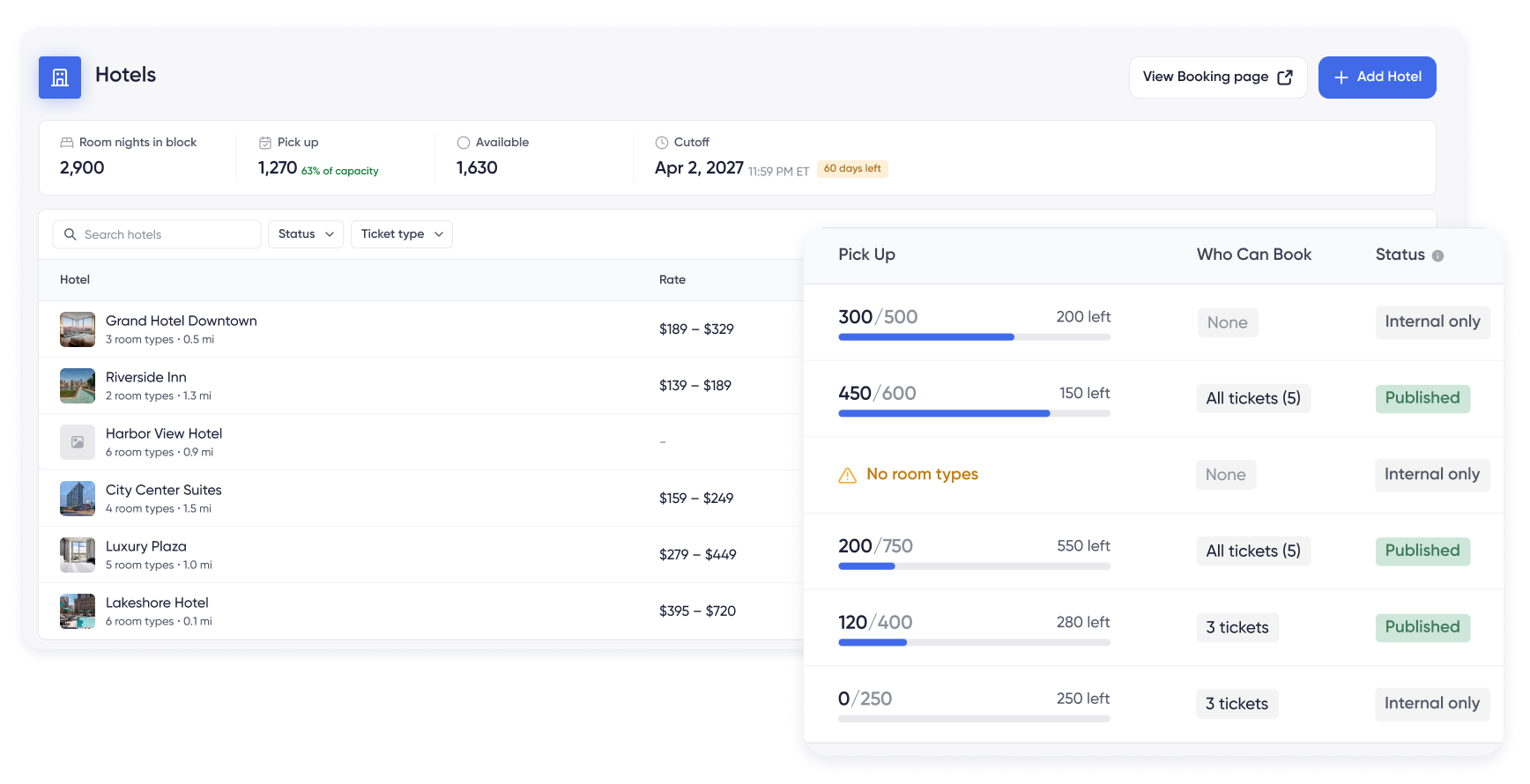
Room block settings showing which hotels and room types are bookable and which ticket types can book them.

Booking Built Into Registration

Attendees don't have to search for a separate housing site. They book with the same email they registered with, so there's no second account, no new login, and no dates to type again.

The booking link sits in their confirmation email and reminders, so anyone who wants to think it over can come back and pick up where they left off.

Let Attendees See What They're Booking

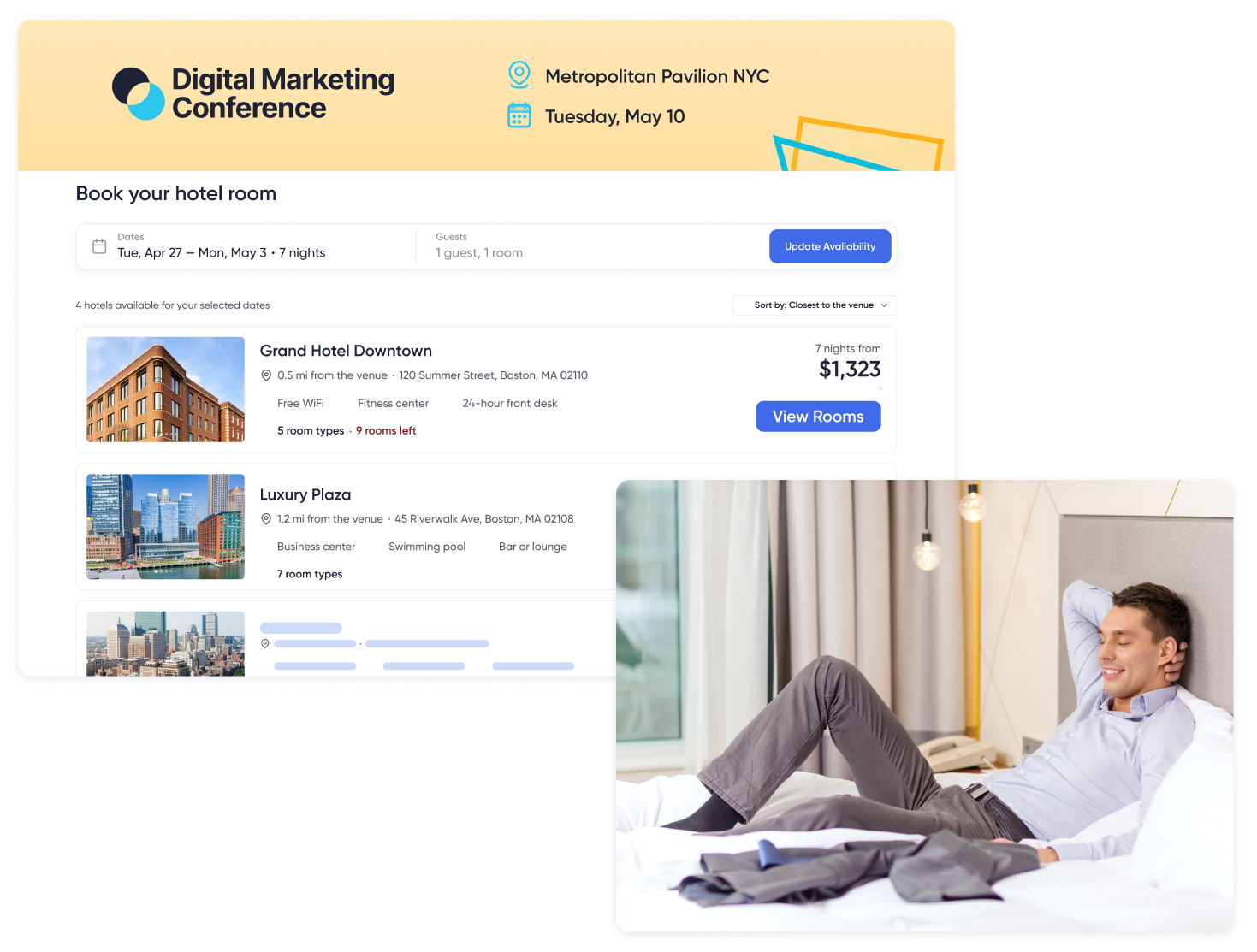
Add photos, a description, amenities, and each hotel's distance from the venue. Room types can show their own photos, bed setup, room size, and how many people fit.

Attendees compare options and pick what works best for them. Your terms, policies, and checkout disclaimer sit on the page where they're easy to find.

Hotel listing an attendee sees, with photos, amenities, distance from the venue, and room types.
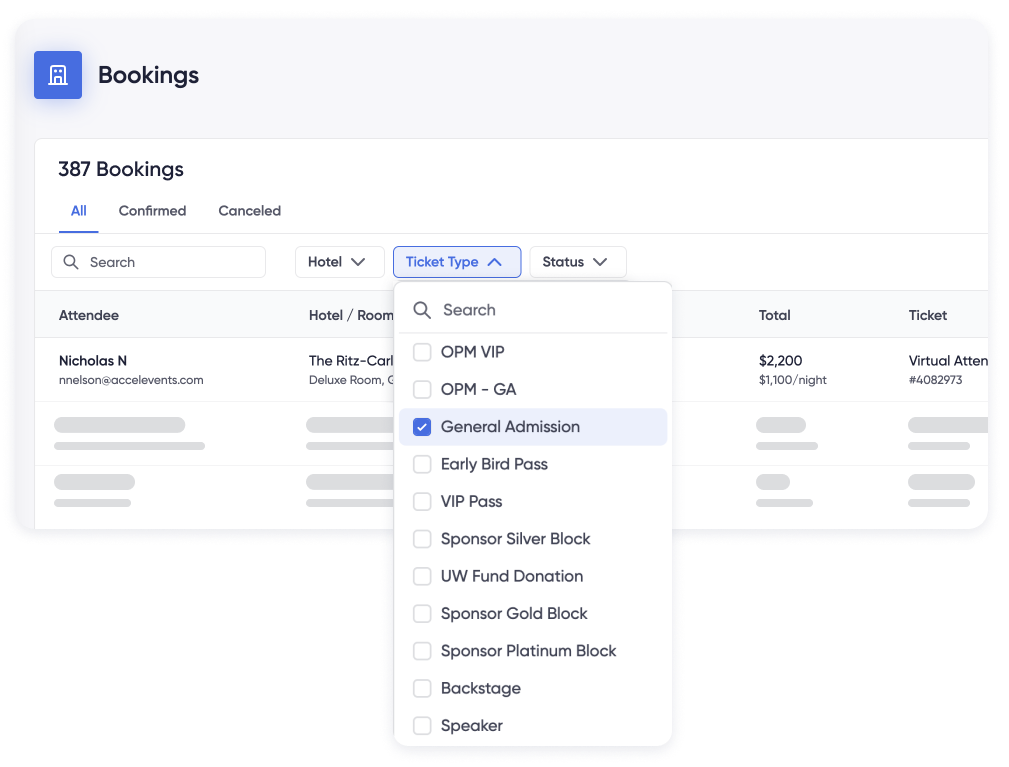
Reservation record showing the attendee, hotel, room type, stay dates, total, ticket type, and order ID.

Every Booking Tied to a Registration

Every reservation carries the attendee, hotel, room type, stay dates, total, ticket type, and order ID. Housing and registration are already connected, so you're not matching names across two systems the night before.

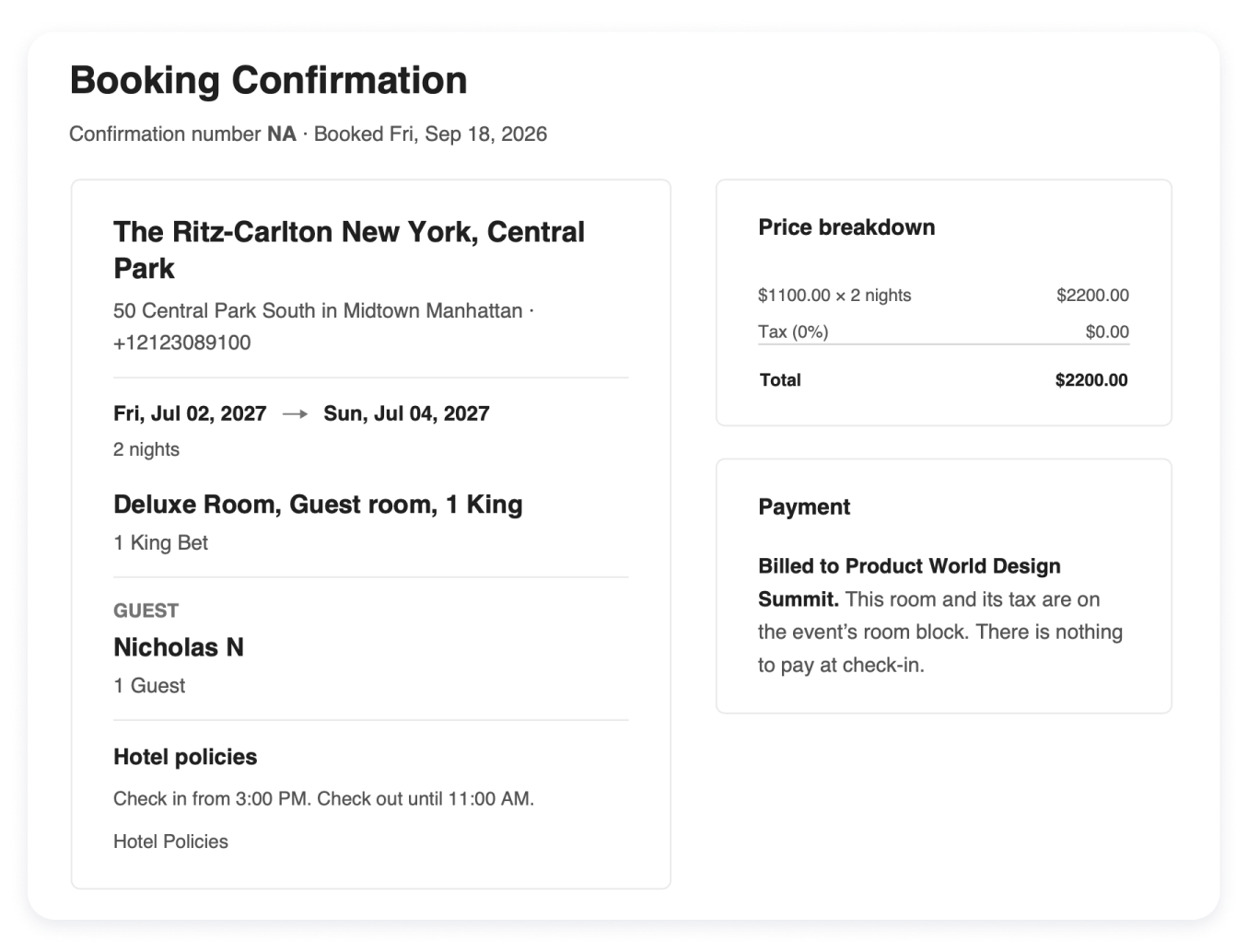
Send or resend a confirmation, download a booking as a PDF, edit it, or cancel it without leaving Accelevents.

Know Where Your Block Stands

Search your bookings and filter by hotel, ticket type, or status. Confirmed and canceled reservations are one tab apart.

Export the list when your hotel contact needs it, and keep confirmation numbers on the booking they belong to.

Reservations list filtered by hotel, ticket type, and status, with confirmation numbers on each booking.

Bring Housing Into the Platform You Already Run

Room blocks work alongside registration, check-in, badge printing, and reporting. Same team, same place, no second vendor to manage.

Request a Demo

FAQ

Room block management software (a.k.a., event housing management) handles the hotel side of your event: the properties you've contracted, the rates you negotiated, how many rooms are open each night, and who can book them. In Accelevents, it runs inside your platform, so every reservation is tied to the attendee who made it instead of sitting with a separate housing vendor.

Corporate programs and sales kickoffs, association conferences, incentive trips, training seminars, and multi-property city-wides. It's built for organizers managing contracted hotel inventory for business events, not individual or social bookings. What changes from event to event is how many properties you're running and who picks up the cost, and you set both per event.

Each attendee gets a booking link tied to their registration order. The booking link is built into your order confirmation page, confirmation email, and reminder emails, so they receive it as part of registration rather than as a separate task. They choose their dates, see available properties, pick a room type, and confirm.

Yes. Hotels are assigned by ticket type, so VIPs, speakers, staff, and general attendees can each see different properties and room types, if desired.