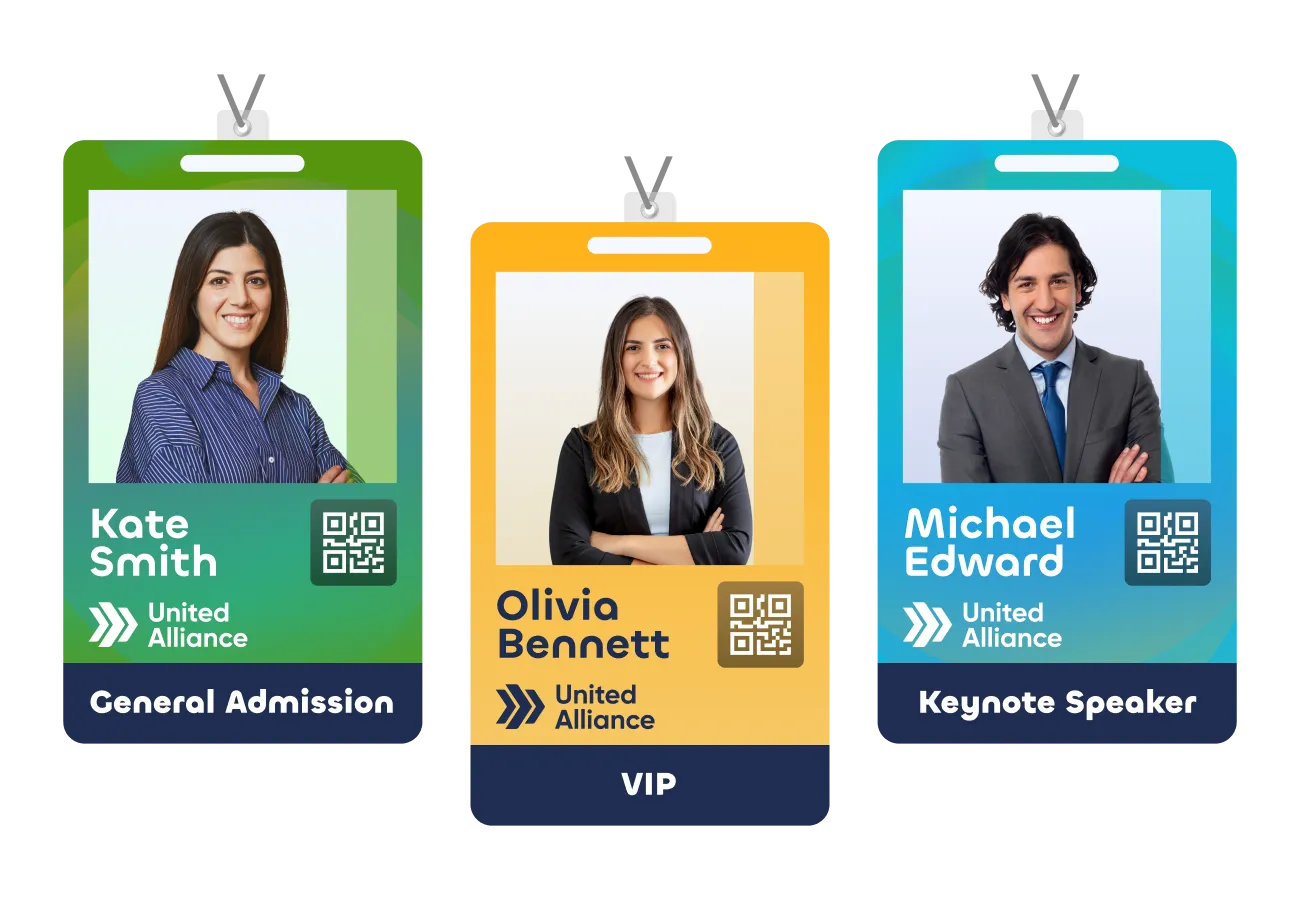
Event Badge Printing Software

Badge Printing Software For A Streamlined Check-In Experience

Design badges in minutes and print on demand using attendee data pulled from registration and check-in. Handle walk-ups, last-minute edits, and reprints without creating a line.

Book a demo
event badge printing software with great pricing and a more streamlined attendee experience than Cvent
fast event badge printing that works with your registration and check-in tools

Print badges on demand: fast, flexible, flawless

Assign a unique badge designs based on registration type so each attendee gets the right badge at event check-in. Auto-fill details with merge tags and QR codes, or RFID info, then print with confidence. No spreadsheets required.

Design beautiful badges in minutes

Use our Badge Designer to build clean, on-brand badges without design skills. Create your layouts once, then scale them across all attendee types.Our Badge Designer gives you the power to quickly create badges as unique as your event.

Get fast, self-service badge printing

Let attendees scan, confirm, and print their badge in seconds at a kiosk. Your team can still run assisted check-in for exceptions, walk-ups, and on-site edits.

print name badges on demand at event check-in

Accurate badges, every time

Attendees scan a QR code, confirm key details, then print. If something changes, update once and reprint on the spot.

One printer, multiple kiosks

Keep lines moving by connecting multiple kiosks to your badge printer setup, so event check-in stays smooth during peak arrivals.

our suppliers can provide badge printers and printing material

Need printers? No problem.

Already own printers? You’re good to go. Want to rent printers? We’ve got you covered. Our team will help you get the right hardware and supplies for your event. During your demo, we will confirm compatibility and recommend a setup that matches your on-site printing flow.

Accelevents Onsite Kit

We can be there onsite. You can do it on your own with the Accelevents Onsite Kit. Everything you need for a perfect attendee check-in and badge printing experience is available in a box we’ll deliver right to your event. 

The Accelevents Onsite Kit is recommended for events under 1,000 attendees who are only printing in black & white onsite. 

The Accelevents Onsite Kit includes iPads with the Accelevents software pre-installed, printers, badge stock, and internet router, and more.

fast event badge printing that works with your registration and check-in tools

Book a personalized demo

Schedule a quick demo to see badge design, self-service kiosks, and on-demand printing in action for your next event.

Request a Demo
Trusted by
g2 badge linking to list of online platforms containing remo, vfairs, Accelevents and other event platforms
capterra badge pointing to event and ticket sales platforms lists containing vfairs, bigmarker and other virtual platforms

FAQ

Event badge printing software produces attendee name badges on demand at check-in, pulling names, companies, ticket types and QR codes straight from registration records instead of a spreadsheet. Badges print at a staffed desk or a self-service kiosk, so walk-ins, name corrections and reprints get handled on the spot rather than shipped in advance.

Event management platforms and specialist onsite vendors both support it. The difference is where the badge data lives. On an event management platform like Accelevents (Accelevents is our platform), registration, check-in and badge printing run in one system, so the badge pulls from the same attendee record that feeds your reporting. Specialist badging vendors handle printing alone and sit alongside your registration tool, so confirm how attendee data moves between the two. Whichever you compare, check which printers are supported, whether badge templates can vary by ticket type, how reprints and walk-ins are handled, and whether badge data returns to your attendee records without a manual export.

Badges print two ways onsite. In kiosk mode on an iPad, attendees scan their QR code or search their name, confirm their details, and print their own badge. At a staffed desk, your team checks attendees in from the admin app check-in page and prints from there. Printing from an iPad is the recommended method, because badge designs enlarge when printed from a phone.

Badge printing is designed for a thermal label printer. Accelevents is built for Zebra ZD series printers such as the ZD420 and ZD620, which connect directly to the admin app. Color printers, including Epson models, connect through a Windows laptop running PrintNode, and any printer PrintNode supports will work that way. A standard office printer prints one badge per page rather than several to a sheet. If a printer will not connect onsite, Accelevents has support that responds in less than 21 seconds, 24/7.

Yes. Accelevents does not supply printers directly, but event teams commonly rent them from Choose2Rent. The Accelevents Onsite Kit is the other route: it ships iPads with the software installed, a printer, badge stock and a router, and is recommended for events under 1,000 attendees printing in black and white.

A Zebra direct thermal printer finishes a badge in about 7 seconds. Color printers running through PrintNode take 20 seconds or more, depending on the printer model and how detailed the badge design is. For color events, pre-printing the artwork on badge stock and printing only attendee details at check-in keeps the queue moving.

Yes, with the right setup. Double-sided badge designs are supported. Color printing requires a color printer with PrintNode configured; without that, badges print in black and white on a thermal printer. You can also set an individual image to print in black and white, or add a condition so an image only appears on badges that meet a rule.

Yes. Create a badge under Registration, then Badges, and associate it with one or more ticket types, so attendees, VIPs, speakers, staff and exhibitors each get the right layout. Start from a template or a custom size, then add text, shapes, images and widgets that pull registration fields, including answers to custom order form questions, plus QR codes.

In Accelevents, badges read from the same attendee record as registration, so whatever an attendee entered on the order form can appear on the badge with no separate import. Printing sits inside the check-in flow: an attendee checks in and the badge prints in the same step. A Badge Printed column in the Ticket Holder report and a per-badge print count show what has been issued and from which device. On platforms where badging is a separate tool, confirm how registration data reaches the badge and how printed badges are reported back.

Onsite badge printing means you only print for people who actually arrive, so there is no shipping cost for pre-printed badges and no box of unused stock. Corrections happen at the desk: a misspelled name or wrong job title gets fixed and reprinted immediately, which keeps your attendee data accurate instead of leaving errors to clean up afterwards.

Print on demand if your attendee list is still moving, you expect walk-ins, or you want data corrected at the door. Pre-print if your badge stock carries heavy color artwork, since printing only the attendee details at check-in is faster. Many events do both.