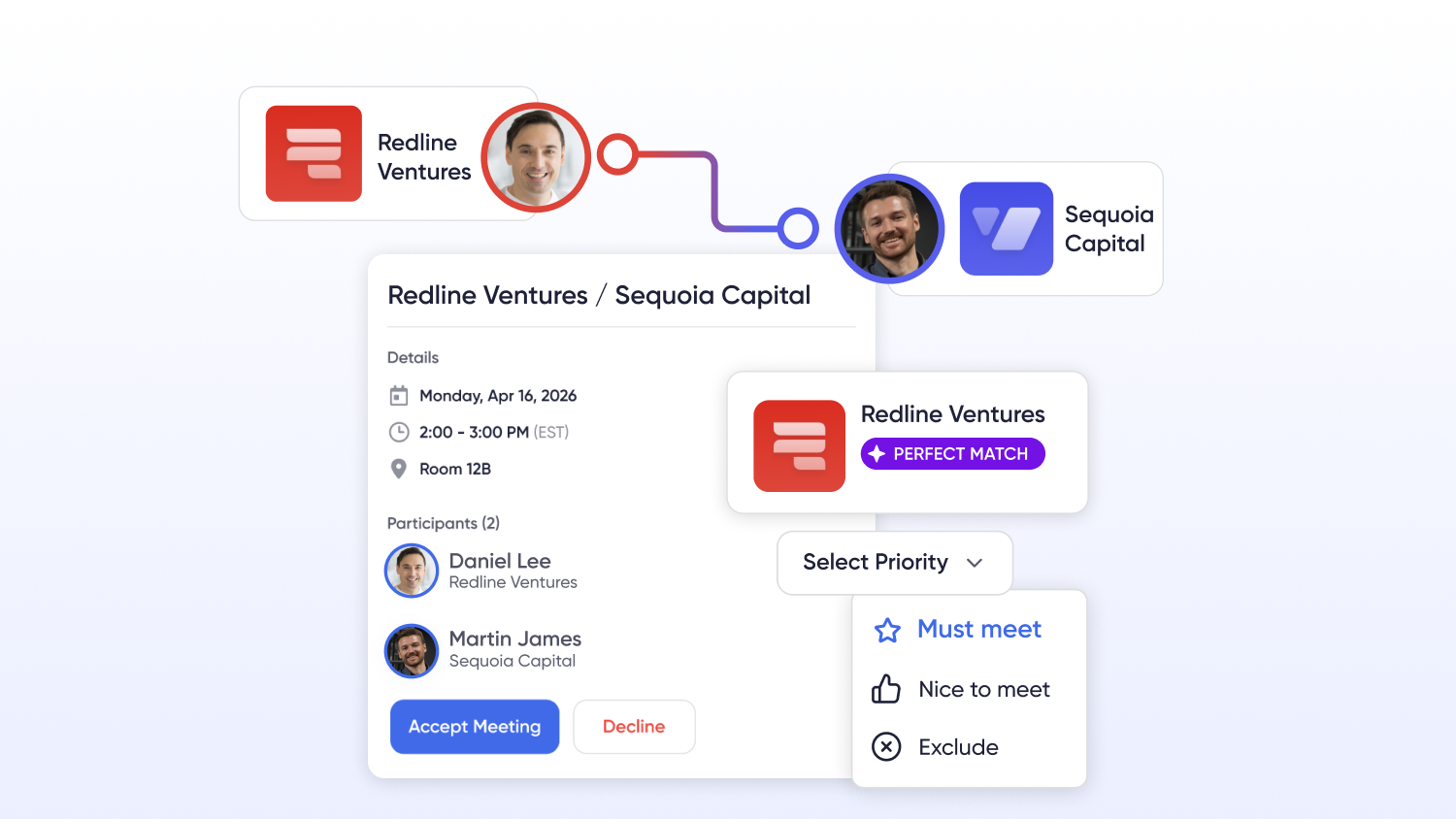
What is event management?
Event management is the end-to-end process of designing and delivering an event so that it meets a defined business goal. It spans pre-event planning (budgets, venue, agenda, registration), live execution (check-in, sessions, networking, exhibitor activation), and post-event work (reporting, lead handoff, ROI analysis). It is part project management, part marketing, and part operations.
The work is owned by event planners and event organizers — sometimes a single coordinator, more often a cross-functional group spanning marketing operations, sales, finance, and IT. For recurring or large-scale programs, event management increasingly runs on dedicated event management software: a platform that unifies registration, onsite check-in, the mobile event app, and analytics so the whole team works from one source of truth. The best platforms share a single data model across every module, which means attendee data captured at registration flows automatically to your CRM, your reports, and your exhibitors' lead tools without manual export.
It matters because events are expensive, high-stakes, and data-rich. A modern event management platform automates the repetitive parts of the event planning process, protects the data that flows to your CRM and marketing automation, and gives every stakeholder the reporting they need to prove the event worked.


Key event management skills and responsibilities
Whether the title is event manager, event coordinator, or program lead, the role tends to carry the same core responsibilities across the event lifecycle:
- Strategy and goal-setting — defining the business outcomes (revenue, lead quality, attendee satisfaction, CE completion) the event must deliver, and aligning stakeholders before any tools are bought.
- Budgeting and procurement — owning the event budget, selecting vendors, and managing the tech stack so tools stay aligned to outcomes instead of sprawling.
- Registration and attendee experience — building registration forms and ticketing, designing the agenda, and shaping how attendees move through the event online, onsite, or both.
- Exhibitor and sponsor management — coordinating the show floor, lead capture, and the sponsor entitlements that drive event revenue.
- Onsite operations — check-in, badge printing, run-of-show, and the real-time problem-solving that defines show day.
- Event marketing and promotion — building event websites and landing pages, running email campaigns, and driving registrations through the channels your audience uses.
- Data and reporting — making sure attendance, engagement, and lead data flow cleanly to sales and marketing, then reporting on ROI.
The common thread is coordination under deadline. The right software does not replace these skills — it removes the manual work so the team can spend its time on judgment and experience.
Before you shop, align on goals
Success starts before your first demo. Getting agreement on the following will cut your evaluation time roughly in half and keep your tech aligned to outcomes rather than features:
- Event mix and formats. Which programs are in-person, hybrid, or virtual this year — and how that changes next year.
- Business outcomes. Revenue from exhibitors and sponsors, attendee satisfaction, lead quality, CE completion rates, and cost to deliver.
- Stakeholders. Marketing operations, sales, finance, event operations, and IT. Decide who owns data and who approves integrations.
- Data plan. What must flow to your CRM and marketing automation, how often, and which reports stakeholders actually use.
- Brand requirements. White-label needs, custom domains, email templates, and accessibility.
- Security and compliance. SSO, MFA, data retention, audit logs, consent, and region-specific requirements.
- Resourcing. Who builds agendas and pages, who manages onsite, and how much vendor help you need from onboarding to show day.
- Scale and complexity. How many events you will run, how large and complex they are, and whether any content will be live-streamed.
Keep this list open during demos and capture evidence for each item. Treat it like a RACI for your event stack.
The 7 types of event management software
Event software comes in as many shapes as the events it serves. Some platforms are all-in-one Swiss Army knives; others specialize in a single job — registration, networking, or a specific industry. Below are the seven most common types of event management software, when to use each, the must-have capabilities, the red flags to watch for, and representative examples to orient your search. Examples are illustrative, not endorsements.
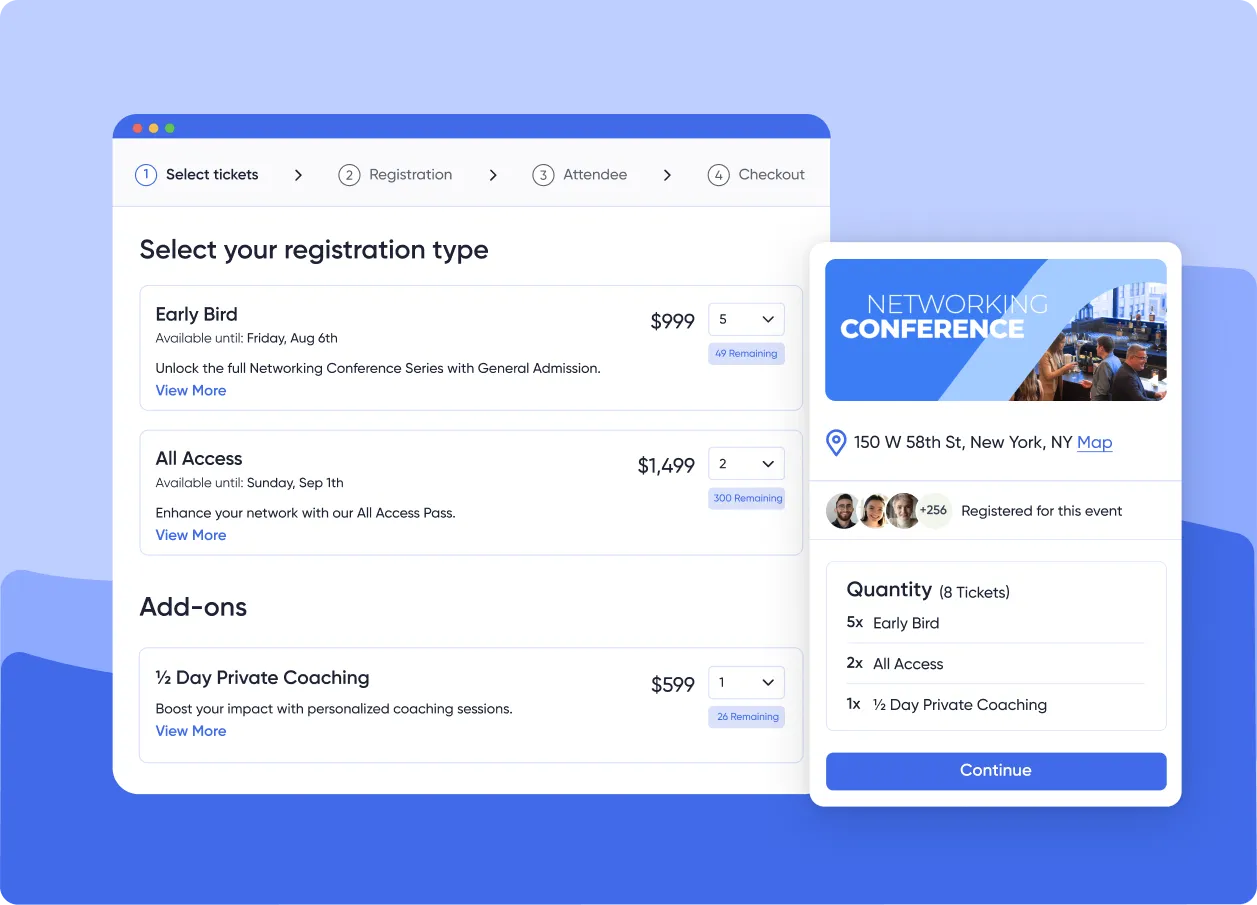
1. Event registration and ticketing software
Use when: you need reliable sign-ups, confirmations, and payments for a single event or a simple series. A strong fit for public events, workshops, or departmental meetings that do not require deeper workflows.
Core capabilities: ticket types and discount logic, payment processing and invoicing, confirmation emails, order changes and refunds, attendee data capture, waitlists, onsite check-in and badge printing, plus GDPR and tax settings.
Signals it will scale: conditional field logic, multi-currency, SSO, real-time export or sync to your CRM, and role-based access for finance and operations.
Watch-outs: percentage-based ticket fees that erode margins, thin reporting that forces manual work, and one-way integrations that create data gaps. Before finalising your shortlist, confirm which event registration best practices your platform handles automatically versus what your team has to configure manually. Representative example: Eventbrite, known for ease of use across a wide range of public events.
→ 7 features that separate good registration platforms from great ones
2. All-in-one event management platforms
Use when: you run a portfolio of conferences, trade shows, internal meetings, corporate events, or education programs and want one platform for registration, onsite, mobile, virtual delivery, exhibitor tools, and analytics.
Core capabilities: page and agenda builders, registration and ticketing, badge design and onsite check-in, a mobile app with schedules and networking, exhibitor and sponsor management, lead capture, call for papers, CE credits, analytics and reporting, and integrations with an API.
Signals it will scale: a consistent data model across modules so teams share one truth, branded web and mobile experiences that require no code, a unified event experience for attendees and exhibitors, shareable dashboards, and native integrations to Salesforce, HubSpot, and Marketo. How technology simplifies event management at scale comes down to whether those integrations are native or bolted on.
Watch-outs: features that look good in isolation but do not connect, vendor services priced as one-off projects, and analytics that cannot be shared outside the platform. Representative examples: Accelevents, a highly customizable all-in-one platform for midsize and large in-person and hybrid programs; Swoogo, often used for corporate registration workflows; Whova, known for mobile-centric engagement.
→ How technology simplifies event management across a full portfolio
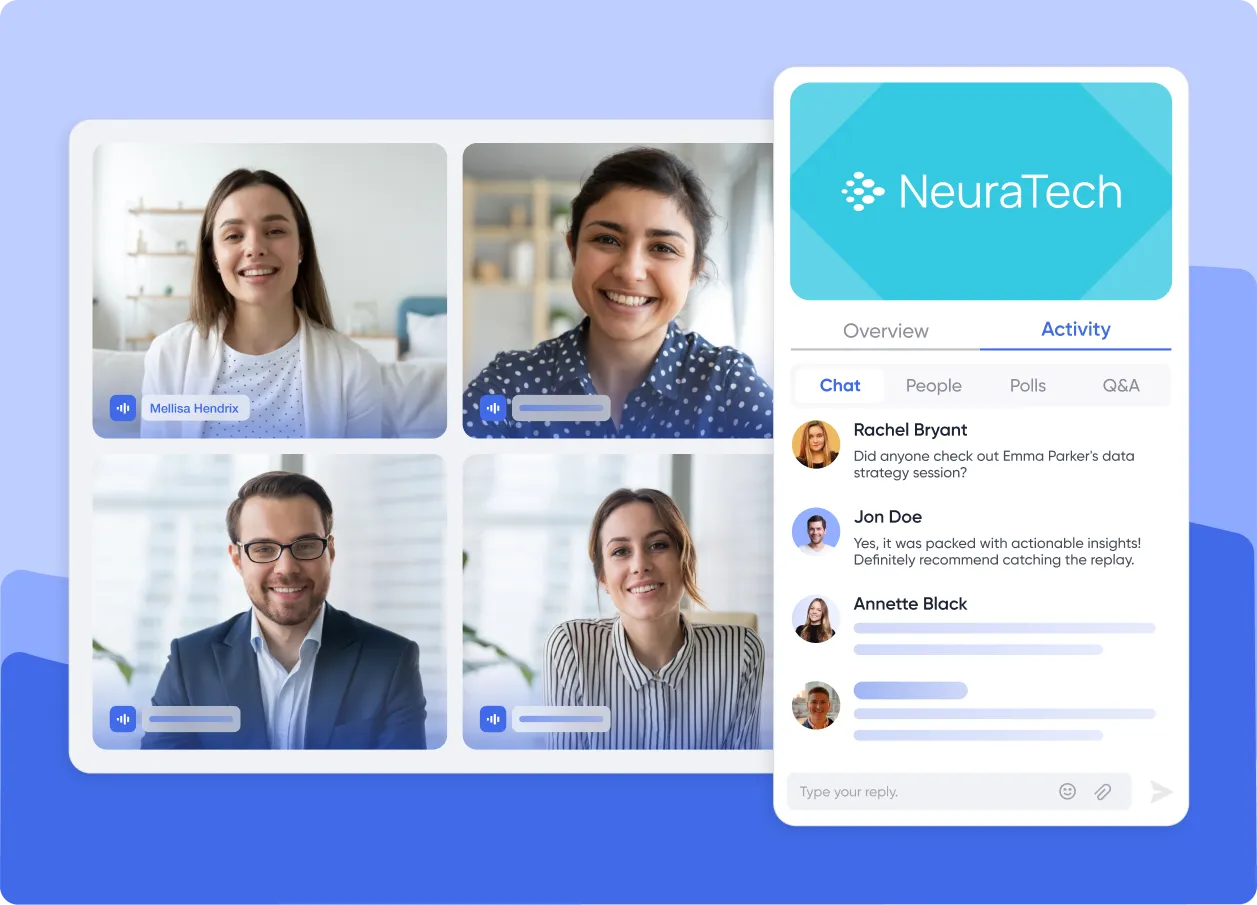
3. Virtual and hybrid event platforms
Use when: your program is largely online, or you run hybrid events and need reliable live or on-demand video with high engagement at scale.
Core capabilities: session delivery and replays, audience Q&A and polling, virtual lounges, sponsor inventory within sessions, email messaging, and analytics that show attention and replay behavior. The strongest options publish virtual sessions inside the same agenda as the in-person program.
Signals it will scale: built-in simulive, backup presenters, automatic recording and chaptering, session-level permissioning, and reliable RTMP inputs.
Watch-outs: exported data that does not map to your CRM, video features locked behind add-on fees, and an attendee experience that does not match your website. Representative examples: Airmeet and Livestorm for virtual-first programs.
→ Compare the best hybrid event platforms for 2026
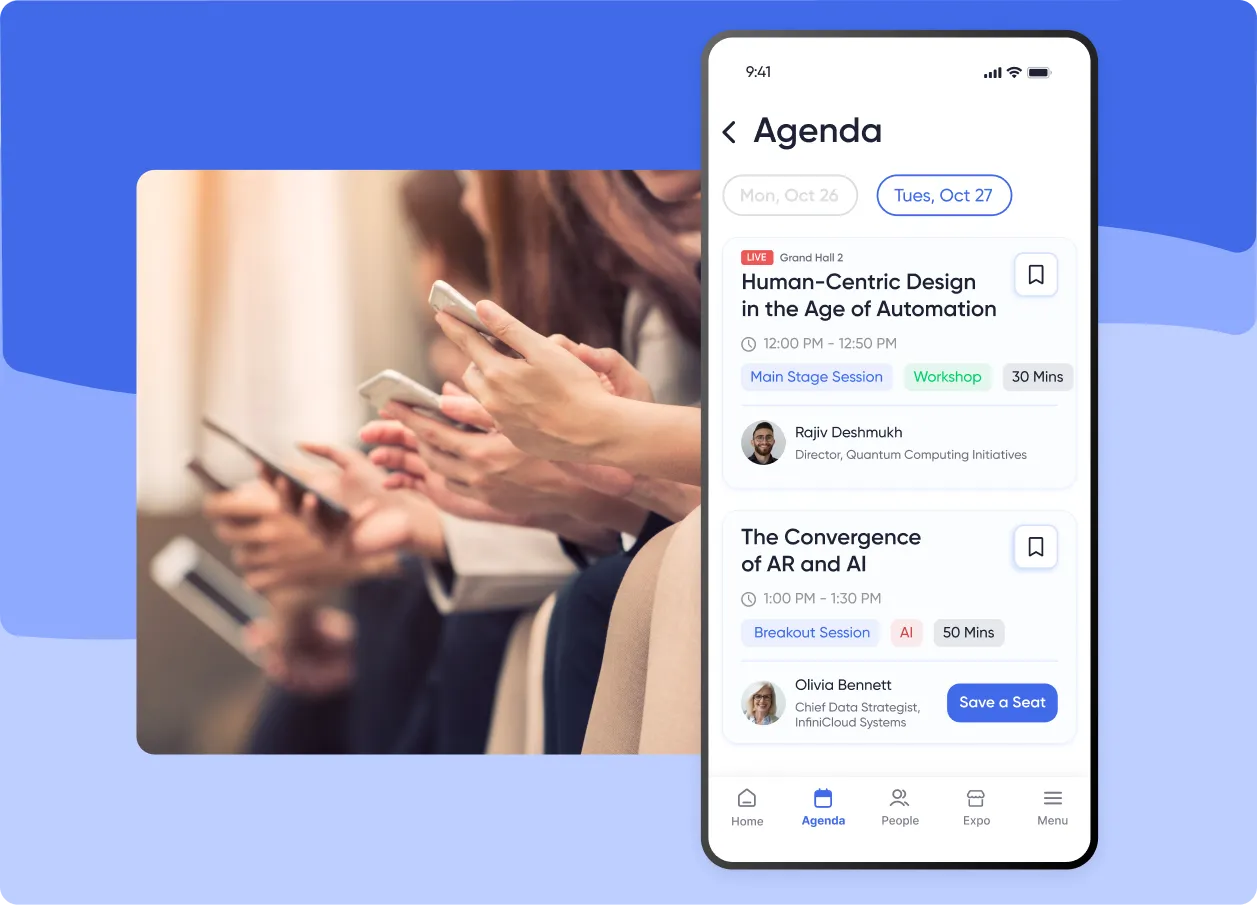
4. Mobile event apps
Use when: you want an in-hand guide for onsite navigation, schedules, push alerts, surveys, and networking.
Core capabilities: agenda search and filters, maps and wayfinding, QR codes for access and lead scans, push notifications, surveys and session feedback, exhibitor listings, sponsor placements, and offline tolerance for busy venues.
Signals it will scale: a branded shell, real-time sync to your agenda and people data, role-based content, and usage analytics you can share.
Watch-outs: a web app masquerading as native without push notifications, slow content updates, and usage reporting that cannot be exported. If you are comparing options, the best event apps for conference success share a consistent set of capabilities worth using as your baseline.
→ The 12 best event apps for conference success
5. Networking and matchmaking software
Use when: meetings and measurable connections drive attendee satisfaction and sponsor ROI.
Core capabilities: attendee profiles with interest tags, AI-powered suggestions, meeting requests and scheduling, in-app chat or video, table or room assignment, and post-meeting follow-up prompts. For virtual-first programs, event networking ideas that drive real connections often depend more on structure and timing than on the tool itself.
Signals it will scale: rules-based matching, opt-in privacy controls, meeting quotas for sponsors, and connections that sync to your CRM with notes and scores.
Watch-outs: privacy and consent gaps, sponsor entitlements that are hard to configure, and networking data isolated from the rest of your stack. Representative example: Brella for conference networking. Networking is also a built-in module in all-in-one platforms such as Accelevents.
→ 7 virtual event networking ideas that drive measurable connections
6. Exhibitor and sponsor management software
Use when: you have a show floor and revenue targets tied to exhibitor success — common for trade shows and large conferences.
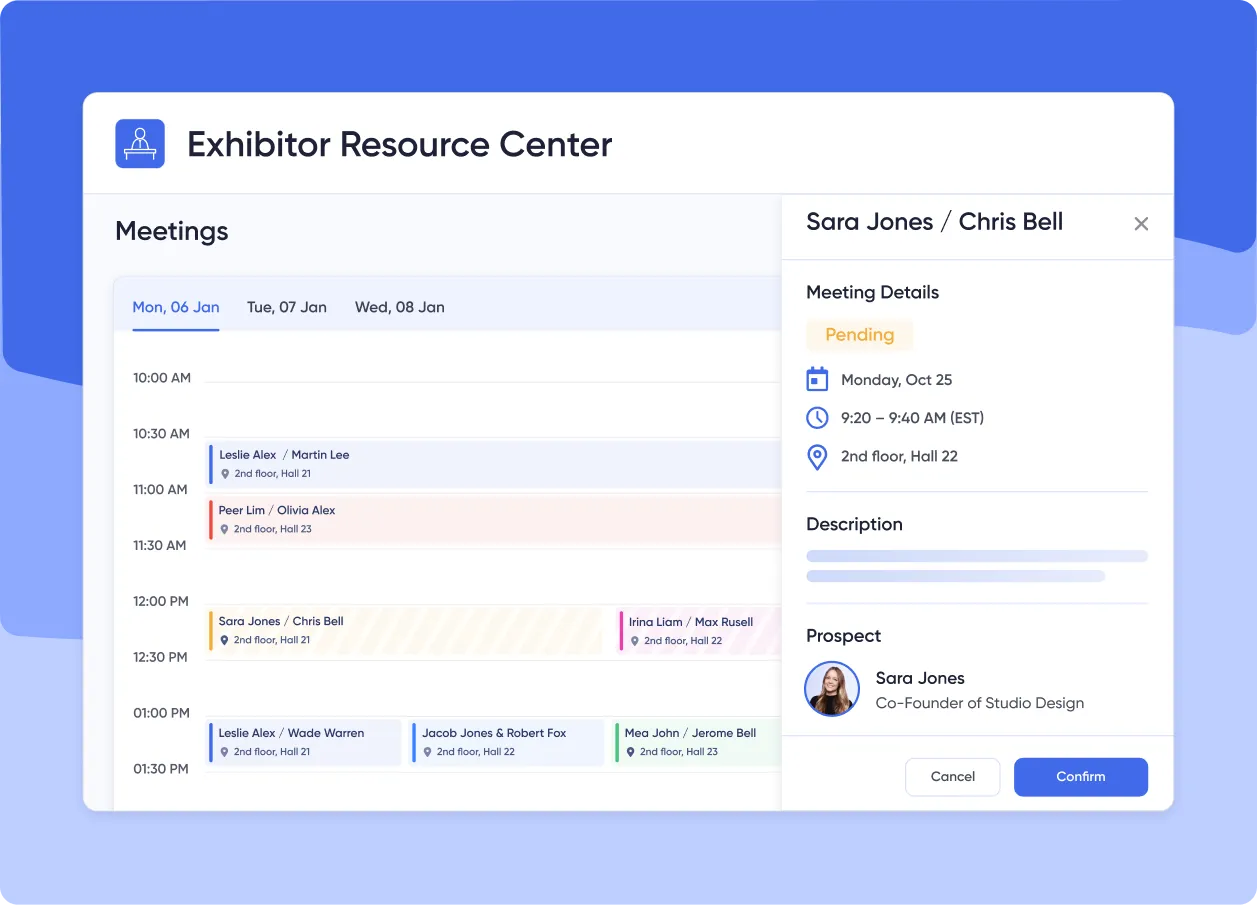
Core capabilities: prospecting lists and floor-plan tools, exhibitor portals for assets and tasks, meeting booking, lead capture through mobile scans, product listings and offers, and ROI analytics exhibitors can access.
Signals it will scale: team-based lead capture with unified company views, custom qualification fields, organizer data ownership, and easy CSV or API sync to sales systems.
Watch-outs: per-user lead-capture fees that suppress adoption, complicated device setups, and portals that exhibitors struggle to use. In Accelevents, for example, exhibitors scan badges on mobile, add notes and scores, and access real-time reports without extra devices or per-user fees. For a full evaluation framework, the exhibitor lead capture playbook covers the questions to ask every vendor before you commit.
→ The exhibitor lead capture playbook: questions to ask every vendor
7. Enterprise and industry-specific event software
Use when: you manage a high volume of complex events — often global conferences and trade shows — or you operate in a vertical with specialized rules, such as associations, higher education, or healthcare.
Core capabilities: management of multiple simultaneous events, sophisticated registration and approval workflows, in-depth analytics, deep integration into complex corporate ecosystems, and for associations and education: call-for-papers and abstract review, speaker and reviewer portals, CE credit rules, automated certificates, and audit logs.
Signals it will scale: multi-track review committees, SSO for speakers and reviewers, condition-based credits, transcript exports your education team can file, and a data model that holds up across a portfolio.
Watch-outs: systems so complex they require implementation partners and dedicated IT to run, manual certificate generation, and CE reporting that cannot be reconciled later. If you are planning a large-scale program, the complete guide to conference planning covers the operational decisions that most enterprise buyers miss in demos.
→ The complete guide to conference planning for large-scale events
All-in-one vs. best-of-breed: how to decide
Both models work. The right choice depends on portfolio size, stakeholder expectations, and the resources you have to manage integrations.
| All-in-one platform | Best-of-breed stack | |
|---|---|---|
| Best for | Many events, consistent builds, and one vendor relationship | Specialized needs and deep capability in specific areas |
| Data model | One shared system with unified reporting | Multiple tools connected through an integration layer |
| Login & vendor | Single login, one contract | Multiple logins, multiple contracts |
| Main trade-off | Less depth in any single specialized area | An integration layer you have to build and maintain |
| Typical buyer | Conference and trade-show programs that want efficiency and consistency | Teams with complex abstracts, a strict LMS, or broadcast-grade production |
Pick all-in-one if: you run many events and want consistent builds and reporting across programs; your team prefers one login and one vendor relationship; and your core needs are registration, onsite, mobile, engagement, and exhibitor management with analytics in one place.
Pick best-of-breed if: you have specialized needs like complex abstracts, a strict LMS, or broadcast-grade production; you can manage an integration layer through native connectors or API work; and your departments value deep capabilities in specific areas even when the interfaces differ.
The middle path: anchor on an event management platform for common workflows, then connect targeted tools for video, abstracts, or networking. Focus on clean data and shared dashboards so every stakeholder decides from the same source.
Event management tools and technology
Underneath the seven categories, most modern event management software shares the same building blocks. Understanding them makes demos far easier to score:
| Capability | What it does | What to verify in a demo |
|---|---|---|
| Registration & ticketing | Ticket types, discounts, group orders, payments, and the attendee data that seeds everything downstream. | Multiple ticket types, clean tax handling, and group substitutions that don't require vendor tickets. |
| Onsite check-in & badge printing | Fast QR check-in, self-service kiosks, on-demand badge printing, and offline tolerance for busy lobbies. | Self-check-in kiosks, badge design control, and reliable performance under peak lobby load. |
| Mobile event app | The attendee's command center for agenda, maps, push notifications, surveys, and networking. | Native push notifications, real-time agenda sync, and exportable usage analytics. |
| Agenda & content management | Parent, child, and overlapping sessions with capacities, waitlists, speaker links, and replays. | Multi-track support, capacity and waitlist rules, and fast replay availability after sessions. |
| Networking & engagement | Matchmaking, polls, Q&A, and gamification that lift attendee engagement and create measurable connections. | AI matching with human controls, and sponsor meeting quotas that are simple to configure. |
| Exhibitor & lead capture | Show-floor tools and mobile lead scans that turn the exhibit hall into reportable pipeline. | No per-user scan fees, company-level lead views, and real-time CRM sync. |
| Analytics & integrations | Shareable dashboards plus native Salesforce, HubSpot, and Marketo connectors and an API. | Native (not bolted-on) CRM sync, exportable reports, and a documented REST API. |
The platforms that win demos are the ones where these pieces share a single data model instead of bolting together. Looking for event management software that handles the full workflow in one place? See how Accelevents manages event management end to end.
Event management software by use case
Category is the first filter; your event type is the second. A few common scenarios:
- Conferences. Prioritize an all-in-one platform that unifies registration, agenda, mobile, and networking, with replays for any hybrid sessions and analytics that roll up across tracks.
- Trade shows. Lead with exhibitor and sponsor management — floor plans, exhibitor portals, mobile lead capture, and company-level lead views — then add networking where sponsors need more meetings and attribution.
- Enterprise and multi-event programs. Look for a consistent data model across many simultaneous events, approval workflows, SSO, and integrations into your existing corporate stack — without the implementation overhead that defines the most complex enterprise tools.
- Associations and continuing education. Confirm automated CE credit assignment with thresholds, speaker and learner portals, audit logs, certificate generation, and exports in the format your education team needs.
Demo and selection checklist
Use this list in demos. Score vendors 1–5 on each item and tie your notes back to the business outcomes you documented:
- Integrations and data: native Salesforce, HubSpot, and Marketo connectors plus a documented REST API; bi-directional sync where appropriate; webhooks for registration, check-in, session attendance, and lead scans; defined data ownership and export cadence.
- Agenda and content: parent, child, and overlapping sessions with capacities and waitlists; search and filters that match how attendees think; speaker and sponsor links; replays available quickly after live.
- Branding and publishing: layout control, a branded mobile shell or white-label option, custom domains and email senders, and staged publishing with previews.
- Registration and commerce: multiple ticket types, discounts, and bundles with clean taxes and receipts; group orders and substitutions; onsite badge design, QR check-in, and kiosks; refunds and changes that do not require vendor tickets.
- Networking and exhibitors: AI suggestions with human controls, meeting scheduling, sponsor entitlements, exhibitor portals, and lead capture with notes and scoring, unified at the company level and exportable in real time.
- Security and compliance: SSO and MFA, user roles, audit logs, consent records, cookie controls, regional data handling, and clear retention settings.
- Reporting and analytics: real-time dashboards for registration, attendance, engagement, and sponsor outcomes; shareable links or scheduled sends for stakeholders who do not log in; field-level breakdowns for sales, finance, and education.
Pro tip: ask every vendor to build a small version of your next agenda during the trial. You will learn more from one realistic build than from five slide decks.
Where Accelevents fits
Accelevents serves enterprises, associations, and teams running conferences, trade shows, internal meetings, and continuing education events. It is built on one consistent data model across registration, onsite, mobile, and virtual — a seamless experience for organizers, attendees, exhibitors, and speakers.
Teams choose Accelevents for branding control, workflow depth, native integrations to Salesforce, HubSpot, and Marketo, analytics and shareable reports, CE tracking, exhibitor lead capture, and transparent, modular pricing with no surprise add-ons. It is highly customizable without becoming unmanageable, and it is backed by 24/7 live support that responds in seconds.
If you want to see the full picture, request a guided demo of Accelevents event management software and build the first version of your agenda in an afternoon.
Putting it together
Choose the category first, validate integrations and analytics second, then stress-test branding and onsite workflows with your real agenda. Keep outcomes front and center: attendee experience, clean data handoffs to sales and marketing, exhibitor ROI, CE completion where it applies, and efficient delivery by the people doing the work. When your stack is simple to adopt and share, everything else gets easier.
Frequently asked questions
What is event management?
Event management is the end-to-end process of planning, coordinating, and executing an event — from budgeting, registration, and agenda design through onsite execution and post-event reporting — so it meets a defined business goal such as revenue, lead generation, or attendee satisfaction. It is typically run by event planners or a cross-functional team, increasingly supported by event management software.
What is event management software?
Event management software is a platform that unifies the core tasks of running an event — registration and ticketing, onsite check-in and badging, a mobile app, agenda and content, networking, exhibitor lead capture, and analytics — in one place. The best platforms share a single data model and integrate natively with CRMs and marketing automation so event data flows to sales and marketing automatically.
What are the main types of event management software?
There are seven common types: registration and ticketing software, all-in-one event management platforms, virtual and hybrid event platforms, mobile event apps, networking and matchmaking software, exhibitor and sponsor management software, and enterprise or industry-specific platforms. Many programs anchor on one all-in-one platform and connect specialized tools only where they add measurable value.
How do I choose the right event management software?
Start with your business outcomes and required integrations, then choose convenience or depth. Pick an all-in-one platform if you run many events and want consistent builds, one vendor, and unified analytics. Pick best-of-breed if you have specialized needs and can manage an integration layer. Always have each vendor build a slice of your real agenda during the trial.
What is the difference between an all-in-one platform and a best-of-breed stack?
An all-in-one platform handles registration, onsite, mobile, engagement, exhibitors, and analytics in a single system with one login and shared reporting. A best-of-breed stack combines specialized tools for deeper capability in specific areas — at the cost of an integration layer you have to maintain. Many large programs use a middle path: one core platform plus targeted tools for video, abstracts, or networking.
Which event software should enterprises prioritize for multi-city or multi-event programs?
Begin with an event management platform that unifies registration, check-in and badges, mobile, exhibitor tools, and analytics across many simultaneous events, with SSO and integrations into your corporate stack. Add networking or show-floor tools where sponsors need more meetings and attribution. Weigh implementation effort and training — the most complex enterprise tools often require dedicated IT and consultants.
Can exhibitors capture and qualify leads without extra devices or per-user fees?
In Accelevents, yes. Exhibitors scan badges on mobile, add notes and scores, and access real-time reports so sales can follow up quickly. Company-level views keep teams coordinated, and data can sync to your CRM. When evaluating any platform, confirm there are no per-user lead-capture fees, since those suppress exhibitor adoption.
What event management software offers real-time reporting?
Accelevents provides real-time dashboards for registration, attendance, session engagement, and sponsor outcomes — viewable as you run the event, not after. Reports are shareable by link or scheduled send for stakeholders who don't log in, with field-level breakdowns for sales, finance, and education teams.
How do I sync event data with my CRM or external systems?
Accelevents includes native integrations to Salesforce, HubSpot, and Marketo plus a documented REST API and webhooks for registration, check-in, session attendance, and lead scans — so data syncs bi-directionally rather than through manual export. When evaluating any vendor, confirm they publish API documentation and define data ownership and export cadence before you commit.
Which event management tools offer GDPR compliance?
Accelevents supports GDPR-aligned data handling with consent records, cookie controls, regional data settings, configurable retention, and audit logs. When evaluating any platform, confirm it documents where attendee data is stored and gives you clear control over consent and deletion.
What event management systems support role-based access controls?
Accelevents offers role-based access so finance, marketing, operations, and IT each see only what they need, with SSO and MFA available for secure sign-in. Role permissions extend to speakers and reviewers for programs that run call-for-papers or abstract review.
What should associations confirm if they need CE credits and certificates?
Look for automated credit assignment with thresholds, speaker and learner portals, audit logs, and certificate generation. Make sure credits can be exported in the format your education team needs and that any LMS connection is clearly defined.
Does Accelevents support virtual sessions as part of a hybrid program?
Yes. You can publish live or on-demand content inside the same agenda as your in-person program, with engagement tools and analytics that roll up into one unified view.
Choose the software that fits your next event
The right event management software helps you plan, promote, and execute every event with less manual work and cleaner data. Once you have narrowed your category and validated integrations, the best next step is a hands-on look. Request a demo of Accelevents to see how an all-in-one event management platform handles the full workflow — or start a trial and build your first agenda this week.